Our online contests have been judged using our website for over 10 years, with no major issues!
We are delighted to now offer the same digital judging interface to our live Team Regional and National Final contests. The judging process is quite simple:
- Before the contest, please log in to the website with the device you plan to use to judge the contest. Do not create a new account. Your account email address will be the same one you have been using to correspond with Poetry in Voice. If you forgot your password. you may reset it. You may use whatever device you are most comfortable with. Some may prefer the larger screen of a laptop or tablet, but a phone will work equally well. If you do not have a device you can bring to the contest, please let us know, and we will supply you with one.
- When you arrive at the contest, please bring your charged device. Your host or contest administrator will ensure:
- You are logged into your account.
- You have access to either local Wi-Fi and/or your device's data plan.
- Sound and notifications are turned off on your device so neither you nor the audience are distracted!
- Once the contest starts, the first evaluation score sheet will appear on your screen. If you are an accuracy judge, you will see the poem and the accuracy scoring form, not the performance form below, but the process to fill out the forms is exactly the same.
- You should score the recitation right after you have finished applauding. Be sure to finish scoring before the next student performing an English recitation begins.
- Fill in the evaluation form on your screen and click the button that says SUBMIT SCORE. Below is an example of the form you will fill in.
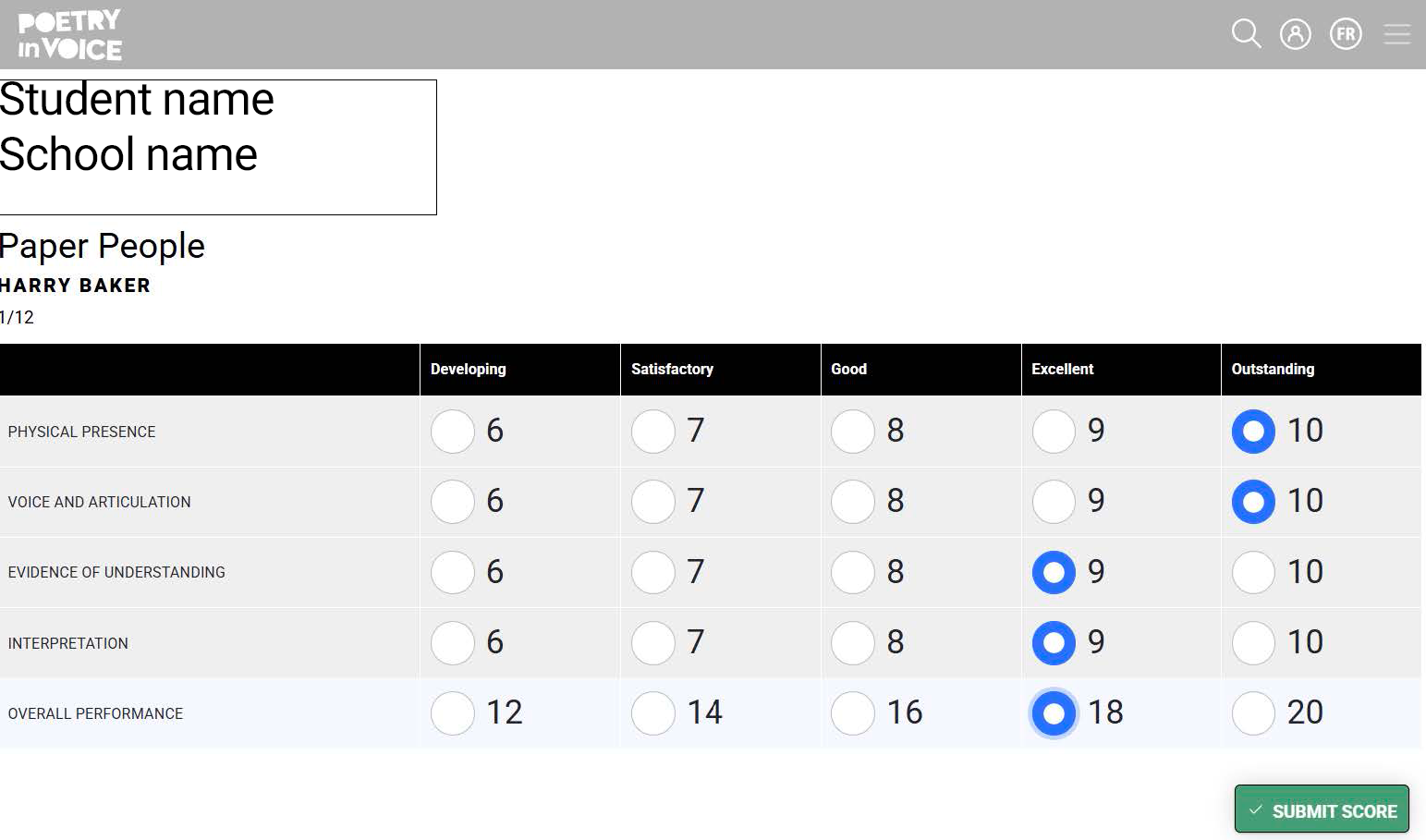
- Be sure there were no errors submitting (there will always be an error if you missed scoring a criterion).
- If there was an error, fix it, and click SUBMIT SCORE again.
- After you submit, your screen will turn black:
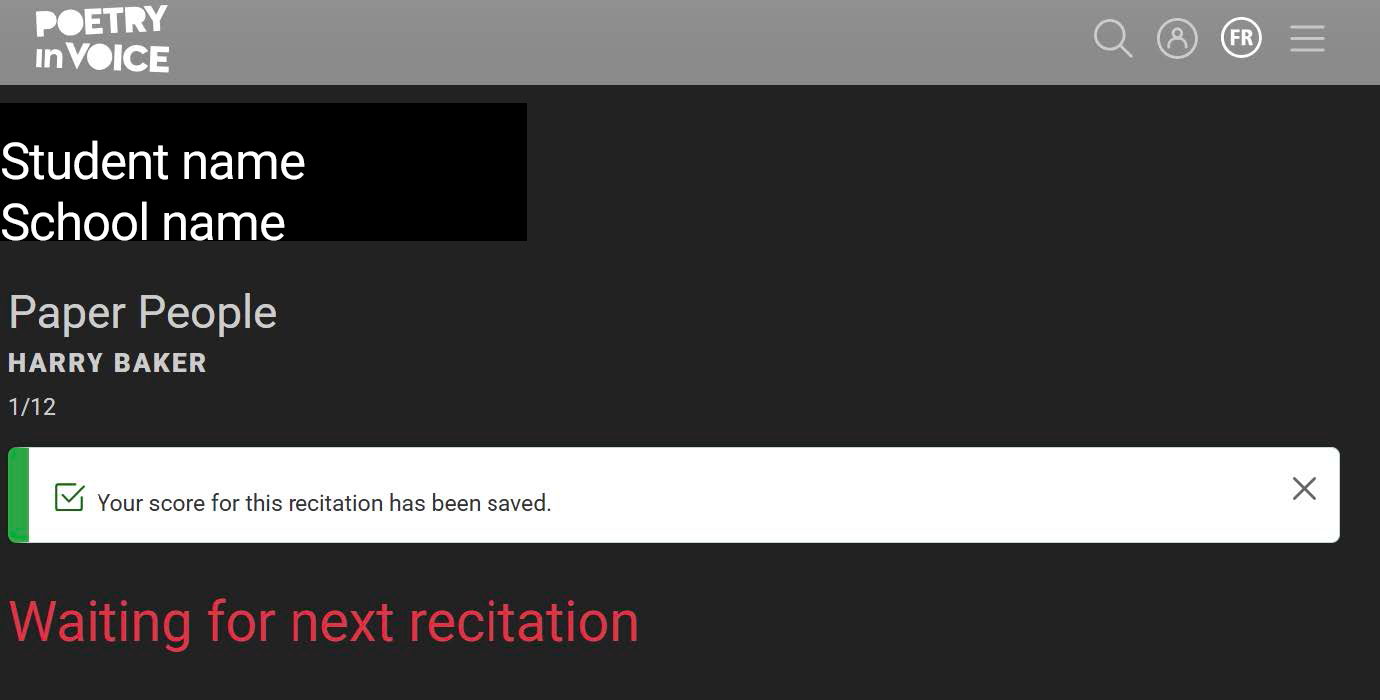
- Once the next English recitation begins, you will see a new evaluation form and will repeat the above cycle for the next student.
- Scores cannot be reviewed or updated after the fact.
- Please do not discuss scores with other judges.
If you encounter any problems, please connect with the contest administrator seated at the table with you.